Make the forum yours
Show your brand name, logo, or both above or below Discourse’s header. Use separate logos for light and dark themes.
Brand Navigation · Discourse theme component
Give your Discourse community a recognizable identity. Add a branded navigation bar with useful links and dropdown menus, plus optional links and icons in the forum’s own header.
What you can do
Show your brand name, logo, or both above or below Discourse’s header. Use separate logos for light and dark themes.
Add direct links and one level of dropdowns, with text, icons and optional descriptions. A linked parent can open a page while its arrow opens the menu.
Show items to everyone, signed-in members or signed-out visitors, and choose desktop or mobile visibility. On phones, use a compact menu, a wrapping bar, or hide the bar.
Place optional text links, icons, or both beside the forum logo or before the native controls. Choose left or right alignment and same-tab or new-tab behavior.
Inherit theme colors, use the Appearance color pickers, or enter hex colors directly. Set normal and hover colors, plus independent desktop and mobile sizes for header links and icons.
Edit Menu item and Submenu item rows in Discourse. Export a configuration backup or import it on another forum, and customize interface wording through Theme translations.
Preview
These desktop screenshots show Brand Navigation in use while signed in. Open a screenshot for a closer look, or visit the community. Live navigation may change.




Compact previews—select either image to open the full-size screenshot in a new tab.

Branding, colors, sizes, Appearance and configuration backups.
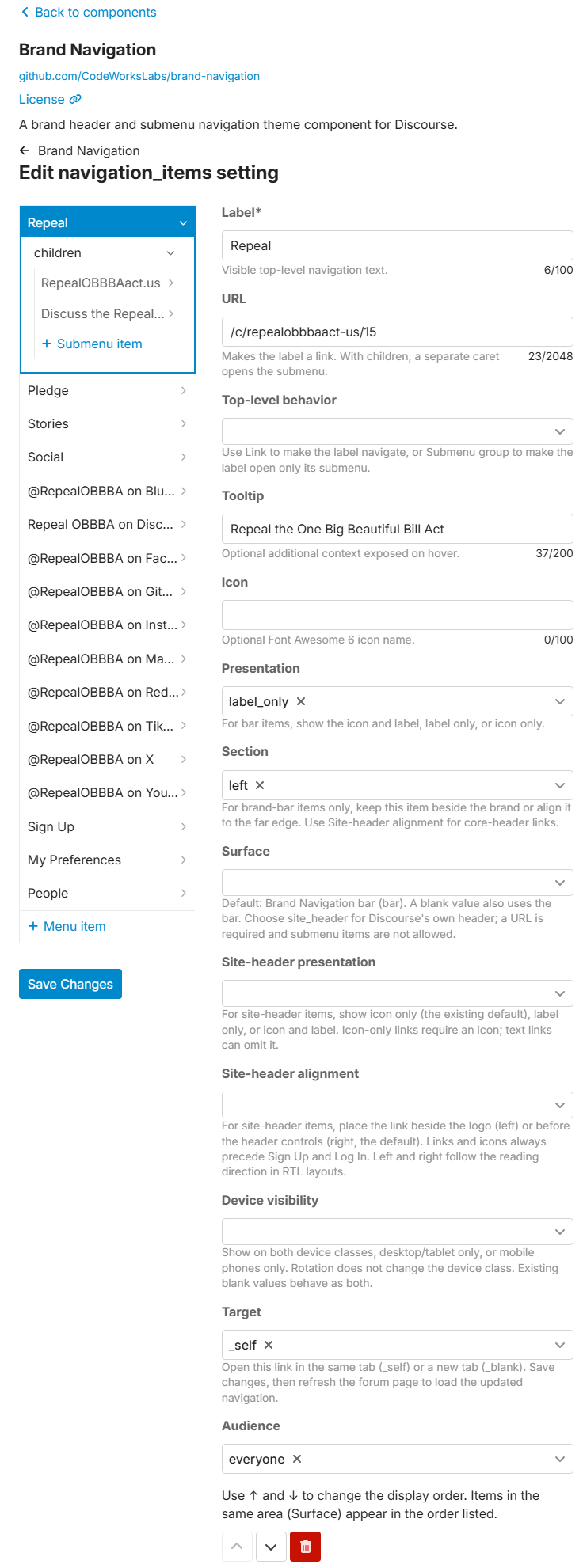
Menus, submenu items, placement, link behavior and ordering.
Installation
https://github.com/CodeWorksLabs/brand-navigation.gitIn Discourse, install a component from this Git repository. Attach it to a non-default staging theme, turn Enabled? on, then configure and preview it before using it on your live theme.
Follow the installation guide →Help and ideas
Ask setup questions, troubleshoot a problem or share your configuration in Brand Navigation’s dedicated Support area.
Brand Navigation Support →Share what your community needs and discuss existing requests. Each idea has its own topic.
Feature Requests →See what is proposed, planned, in progress and released. Proposals, including individual social icon colors, are not features already included in RC4.
Brand Navigation roadmap →RC4 is a release candidate. Preview your navigation on desktop and mobile, keep labels short, and back up your settings before updating. See tested Discourse versions and compatibility guidance for the current checks and limits.